

Tutorial
Create-Bank-Account
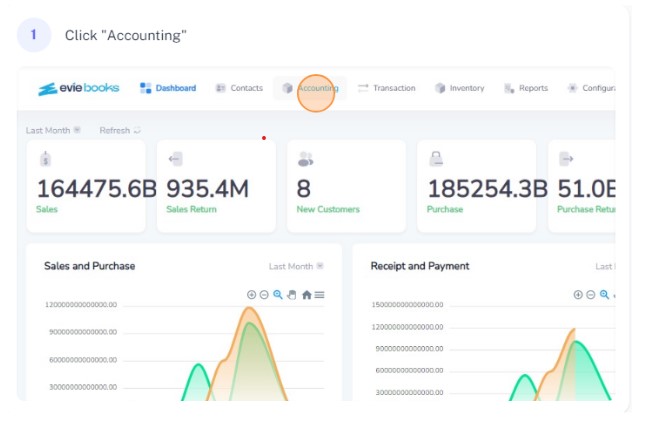
Click on accounting from the navigation bar
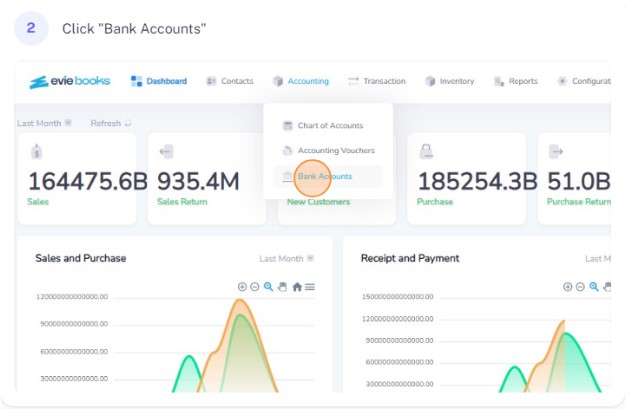
Select bank accounts from the dropdown
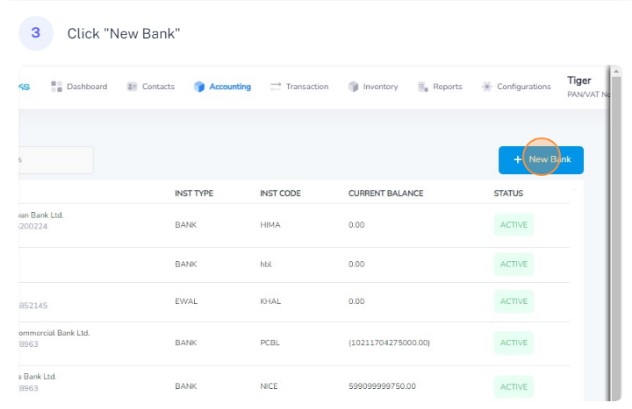
Click on new bank
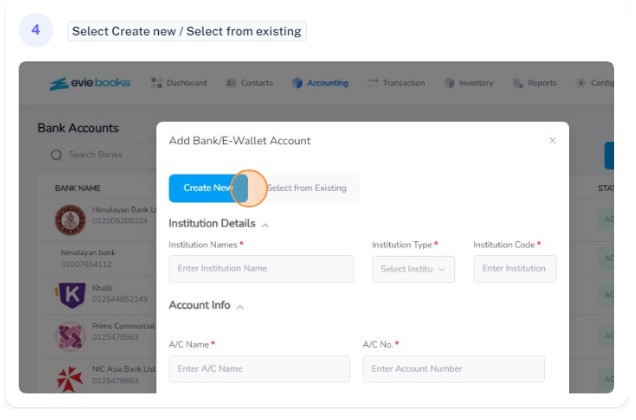
Select Create New or Select from existing
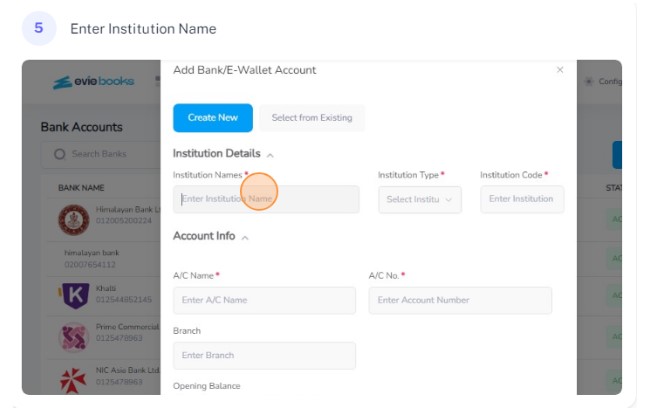
For create new, enter the name of the institution
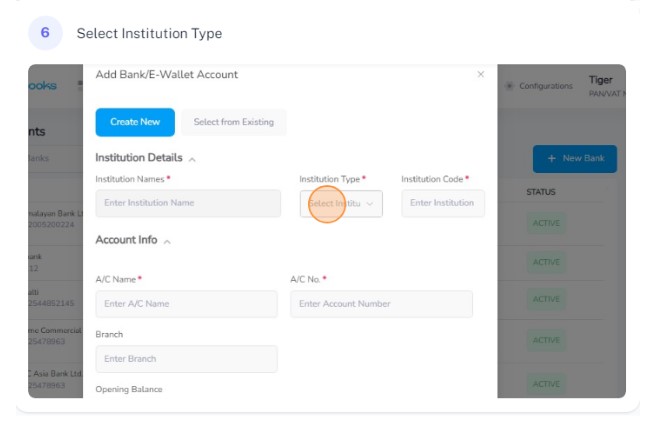
Select the institution type
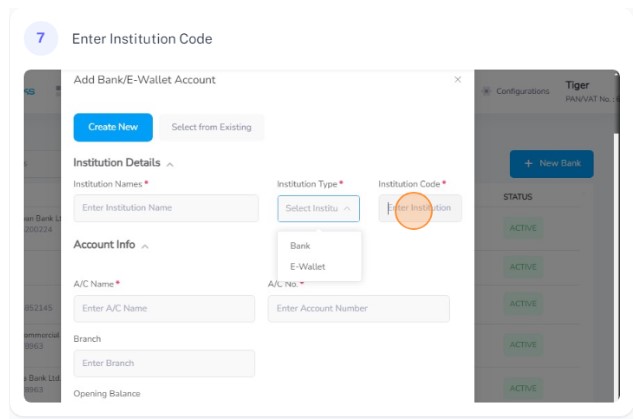
Enter the institution code

Enter the account name
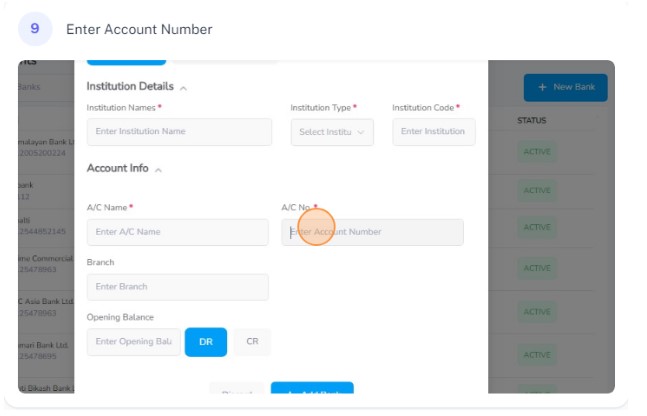
Enter the account number
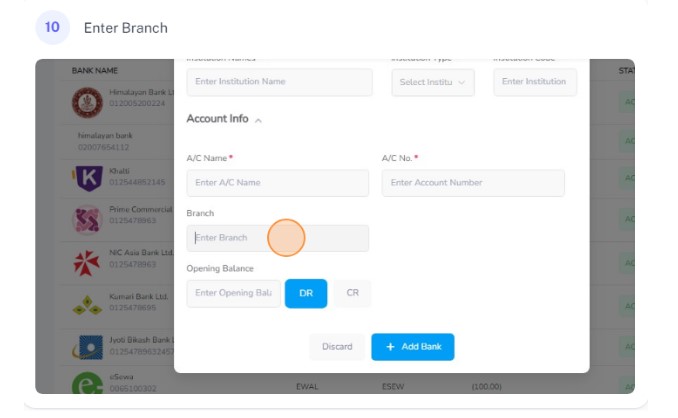
Enter the branch of the institution
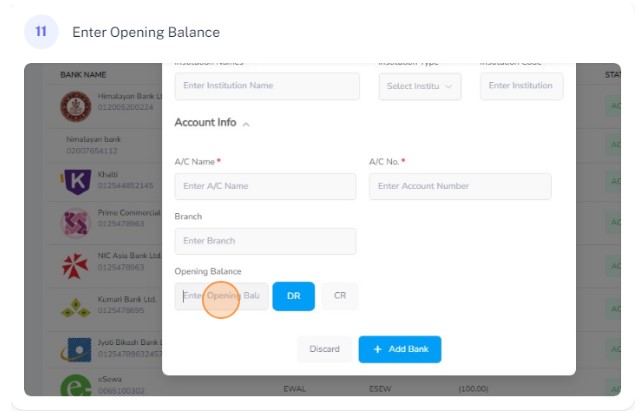
Enter the opening balance of the account
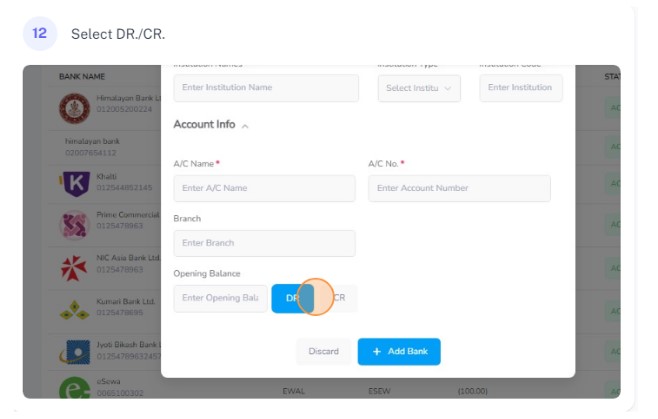
Choose whether the account is debit or credit
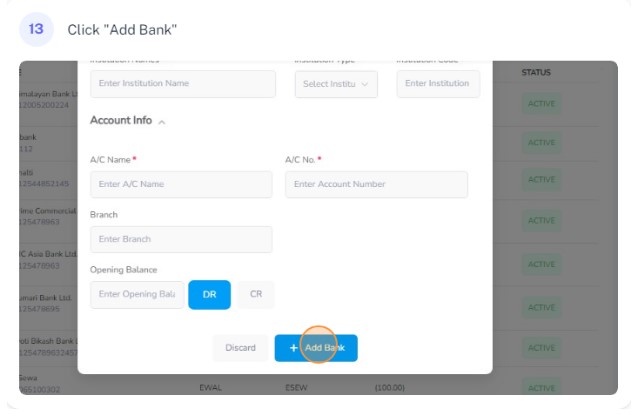
Click on Add Bank
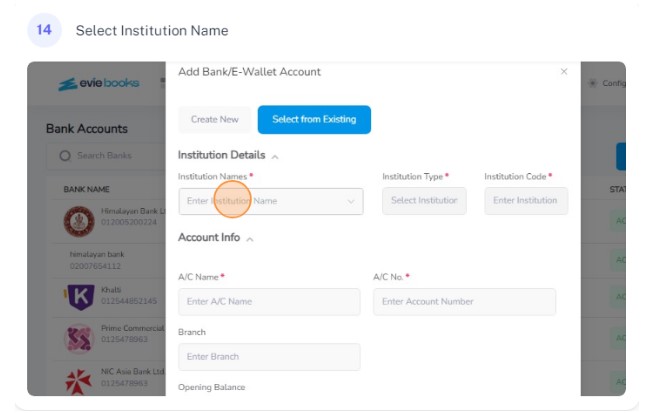
If u have choosen select from existing, select the institution name from the drop down
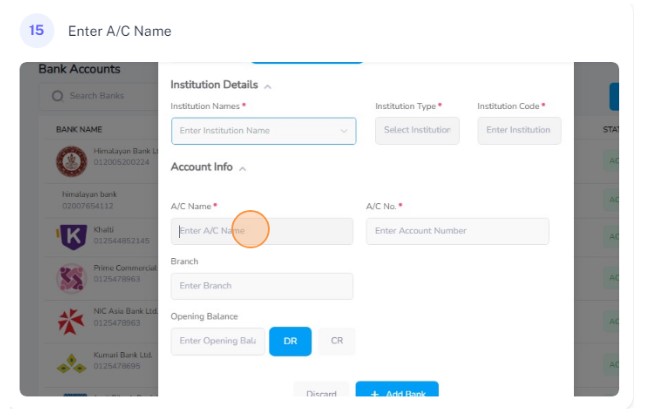
Enter the account name
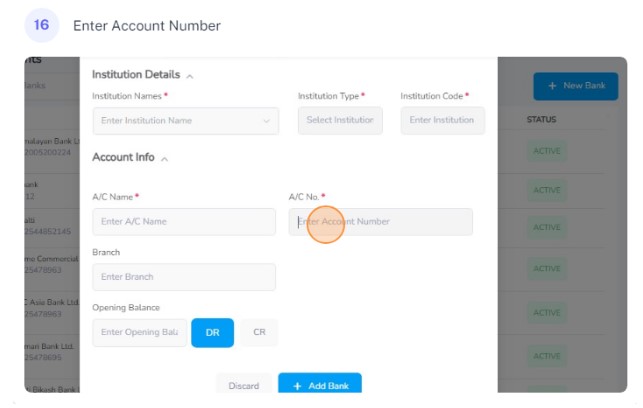
Enter the account number
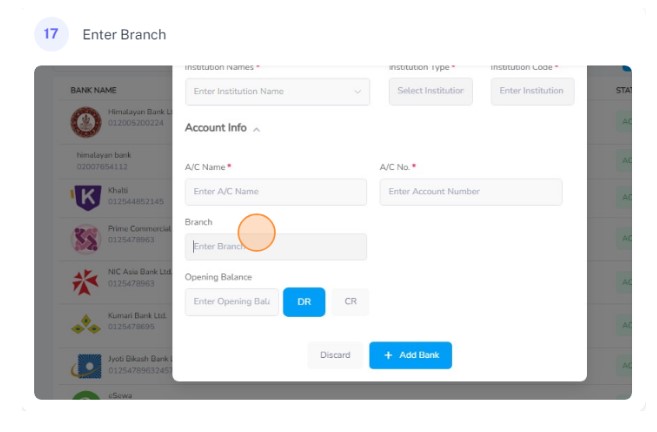
Enter the branch of the institution
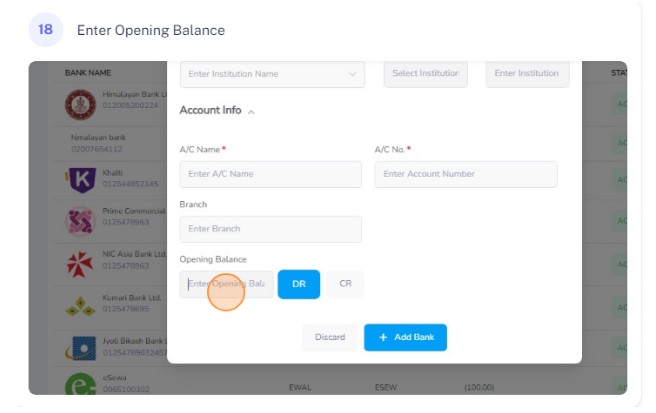
Enter the opening balance of the account
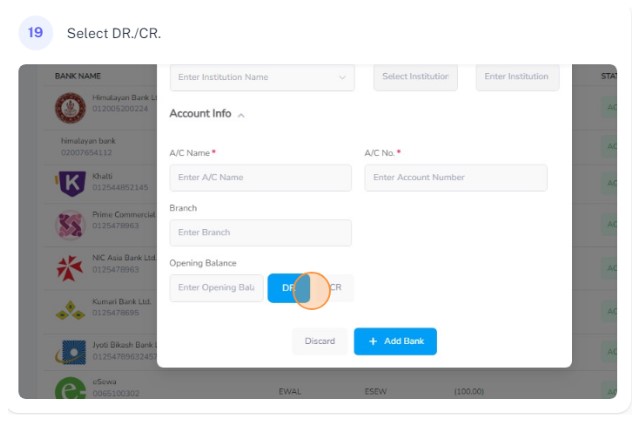
Choose whether the account is debit or credit
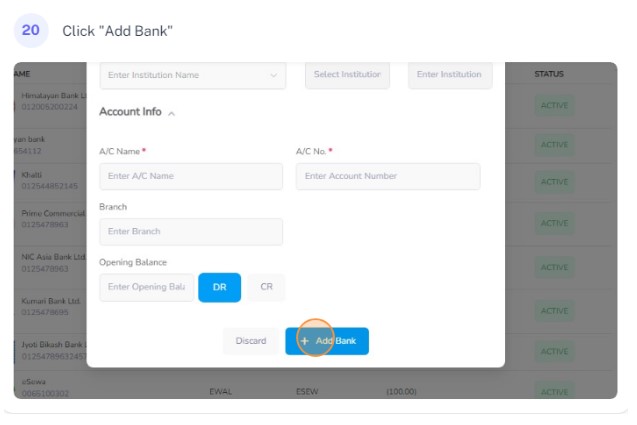
Click on Add Bank